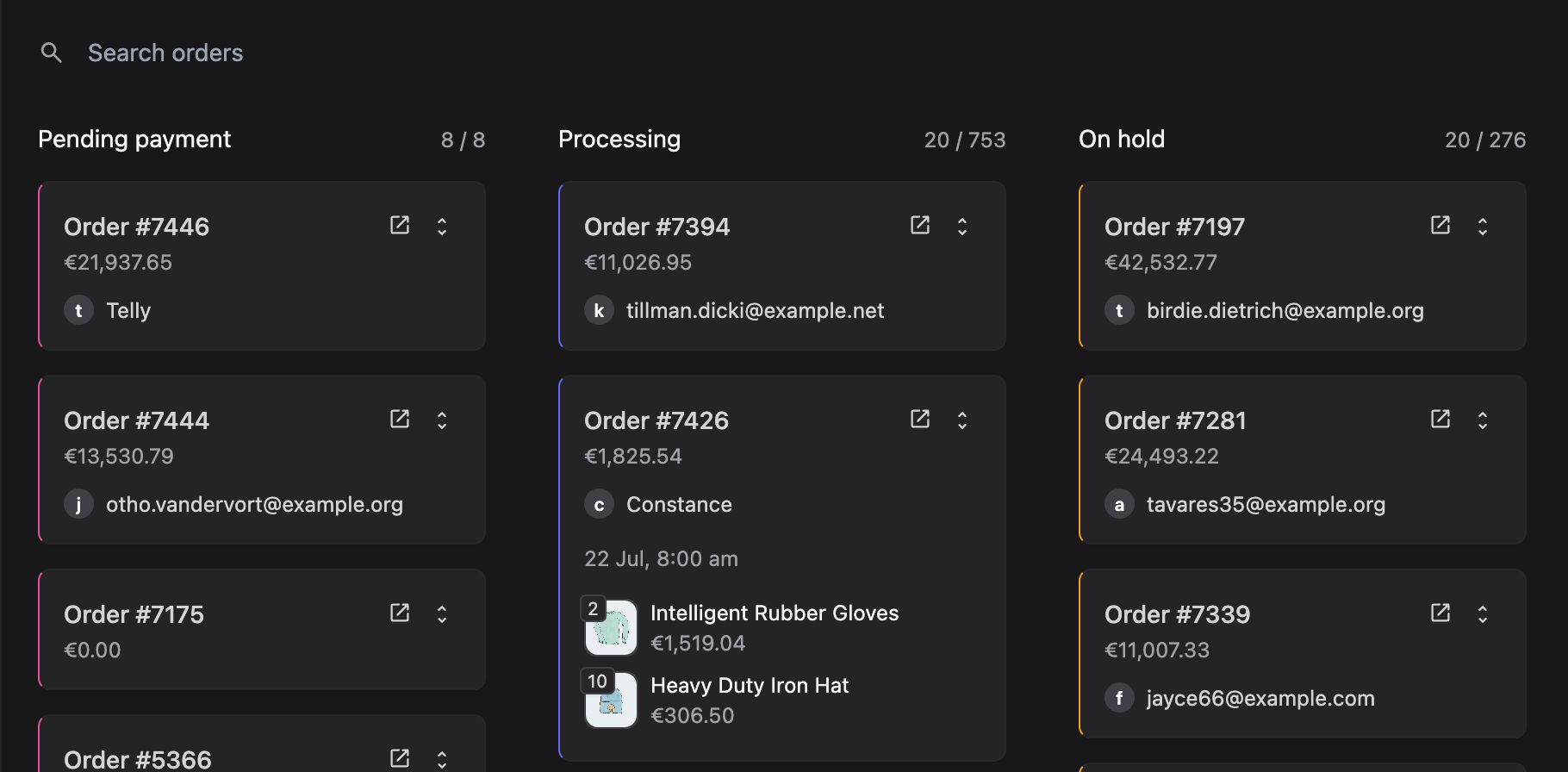
People searching kanban order, kanban orders, ecommerce kanban, or kanban ecommerce are usually not looking for a Trello clone. They have a WooCommerce (or similar) store, a packing bench, and a list table that hides everything that is late.
Kanban is a visual limit on work in progress. Ecommerce just happens to call the cards “orders”.
What an order kanban is — and is not
A useful ecommerce kanban:
- Shows each open order as a card with the facts a packer needs (name, items, age, flags)
- Uses columns that match your statuses, not a generic “To do / Doing / Done”
- Writes back to the platform when a card moves
- Lets you jump into the full order without losing the board
It is not a second source of truth. If dragging a card does not change the WooCommerce status, you have a decoration, not a workflow.
Why the WooCommerce orders table fails at volume
List tables are excellent for “find order #38421”. They are poor at answering:
- How many orders are waiting on stock right now?
- Is “Processing” actually two different jobs (pick vs pack)?
- Who is sitting on holds that should have been released yesterday?
Filters can answer those questions if someone remembers to set them. A board answers them when you walk into the room.
Designing columns for a WooCommerce store
Start from the statuses you already use, then rename for humans:
- New / paid — pending payment vs processing, depending on your gateway
- Pick — if pick and pack are different people
- Waiting — pre-orders, dropship, or “email the customer”
- Packed / shipped — completed, or a custom status if you use one
- Exceptions — on-hold, failed, or refunds you do not want in the main lane
Subscription stores often need a separate mental model for renewals versus first-time boxes. Do not force both into one “Processing” column if they take different actions.
Kanban versus CRM versus “order tracking system”
Adjacent searches — crm order management, order tracking management system — describe the same pain from another angle. A CRM wants customer history. A tracker wants a public status page. A kanban wants the warehouse’s now.
You can have all three. You should not replace WooCommerce with a generic CRM just to get a board. Keep checkout, tax, and inventory where they are. Add a board that speaks WooCommerce.
How VendBase implements this
VendBase’s WooCommerce order kanban is a first-class view, not a sidebar widget. Columns are yours. Drag updates the order. It sits next to the fast table and global search, so “find this email” and “run the shift” are the same product.
Live order updates drop new cards onto the board as they pay. Dark mode helps if the packing screen is on all day. You can load the whole admin — board included — on the frontend so warehouse logins never see wp-admin.
When you should keep the table
Use the table for bulk edits, exports, and forensic “what happened last November” work. Use the board for the open pipeline. VendBase ships both because fulfilment is not one UI problem.
If you have been comparing “top WooCommerce order fulfilment” plugins, start with the write-back test: does the pretty board update shop_order? If yes, you can evaluate density, search, and price. VendBase is lifetime pricing, kanban included on every plan.
Leave a Reply