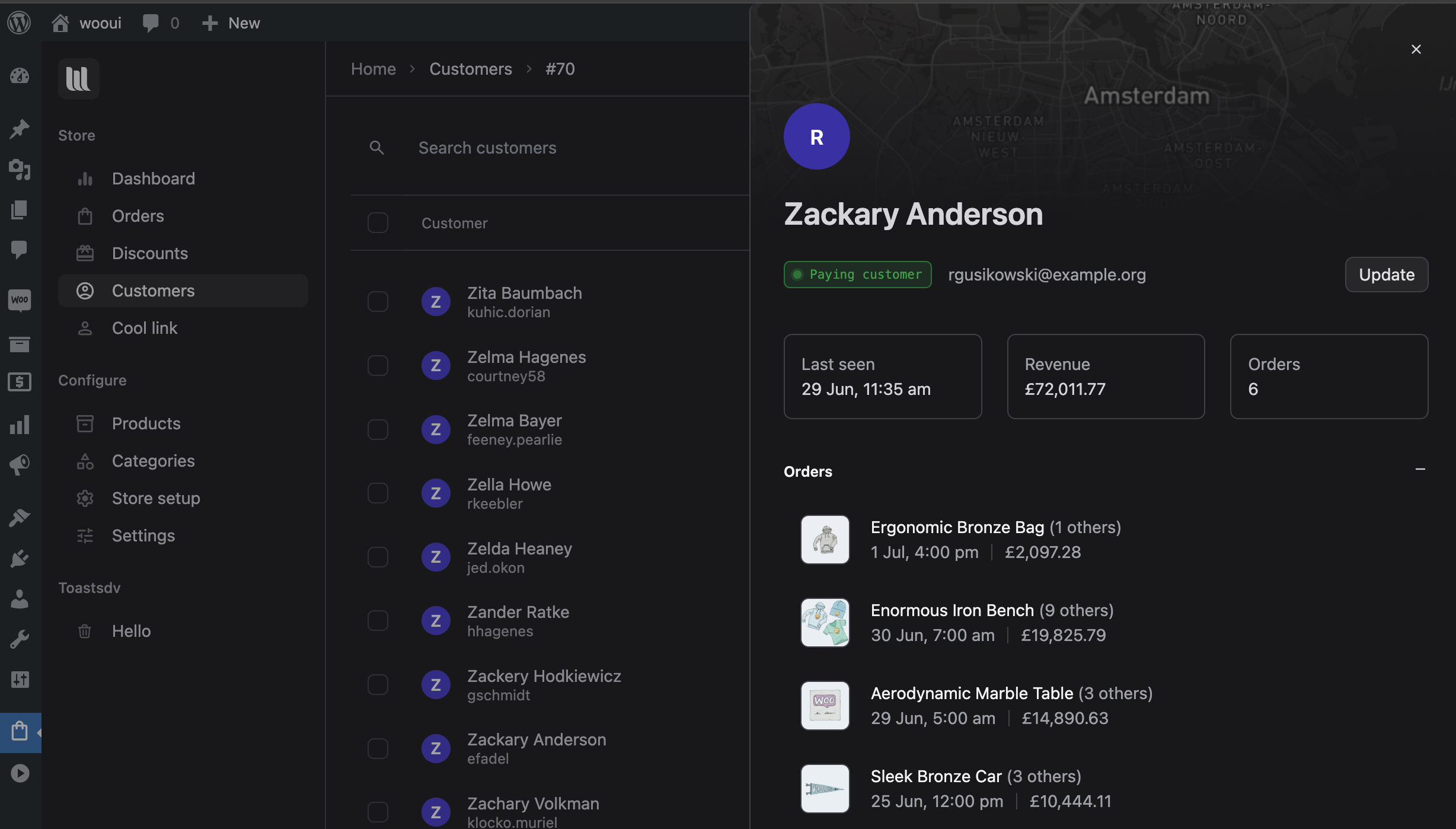
Queries like woocommerce demo admin, woocommerce admin demo, woocommerce demo backend, and vend demo all mean the same thing: nobody wants to buy an admin plugin from screenshots.
A useful demo is not a marketing site with three fake orders. It is a store you can break for twenty minutes.
What a WooCommerce admin demo must include
- Real-looking volume. Empty tables make every UI look fast. You want hundreds of orders, variable products, and at least a few subscriptions if you sell them.
- Guest and registered customers. Half of support is “they checked out as guest”.
- Messy statuses. On hold, refunded, failed — not only Processing.
- The same WooCommerce data model. If the demo invents its own orders database, you are evaluating a migration, not an admin.
Woo’s own wc-smooth-generator exists for this reason. We have written about it before because we use it ourselves when we build features.
A 20-minute click path for shop managers
- Search. Type a partial email, a SKU, and an order number. If that takes three screens, the rest of the demo does not matter.
- Open an order, then the customer. Count clicks. Note whether guest orders still have a history.
- Change a status. Do it from the list, from the order, and — if there is a board — from a card. Confirm WooCommerce’s order notes recorded the change.
- Find a subscription renewal (if you use WooCommerce Subscriptions). Parent/child confusion is where default admin hurts most.
- Do one “sale day” action. Leave the tab open and see whether a new order appears without refresh.
- Ask a warehouse question. “Show me everything waiting on stock.” If the answer is a saved filter nobody will remember, prefer a kanban column.
- Check staff safety. Can this UI live on a frontend URL so the hire never sees Plugins?
Red flags in WooCommerce backend demos
- The demo is a video only. Videos omit latency and empty states.
- Status changes do not survive a reload.
- Dark mode is a CSS invert of wp-admin.
- Pricing is monthly per seat for what is still just a skin on WooCommerce.
- You cannot see subscriptions, refunds, or custom fields you already depend on (ACF, ACPT, and friends).
What we want you to notice in the VendBase demo
Launch the VendBase WooCommerce admin demo (InstaWP spin-up). In the first five minutes you should be able to:
- Use global search like a command bar
- Move an order on the kanban
- Open customer context without losing the queue
- See why teams ask for a frontend dashboard
Then open default WooCommerce → Orders on the same site. The comparison is the product.
After the demo
Install on staging against your catalogue, your shipping plugins, and your worst order. Demos cannot show your custom meta. VendBase’s ACF integration is there for that gap — verify it with your field groups.
If you were comparing “vend pricing” while you tested: every plan is lifetime, and kanban, search, analytics, and frontend loading are not upsells. Numbers are on the pricing page.
Leave a Reply